EVERYDAY RECORDS
Your records, with you
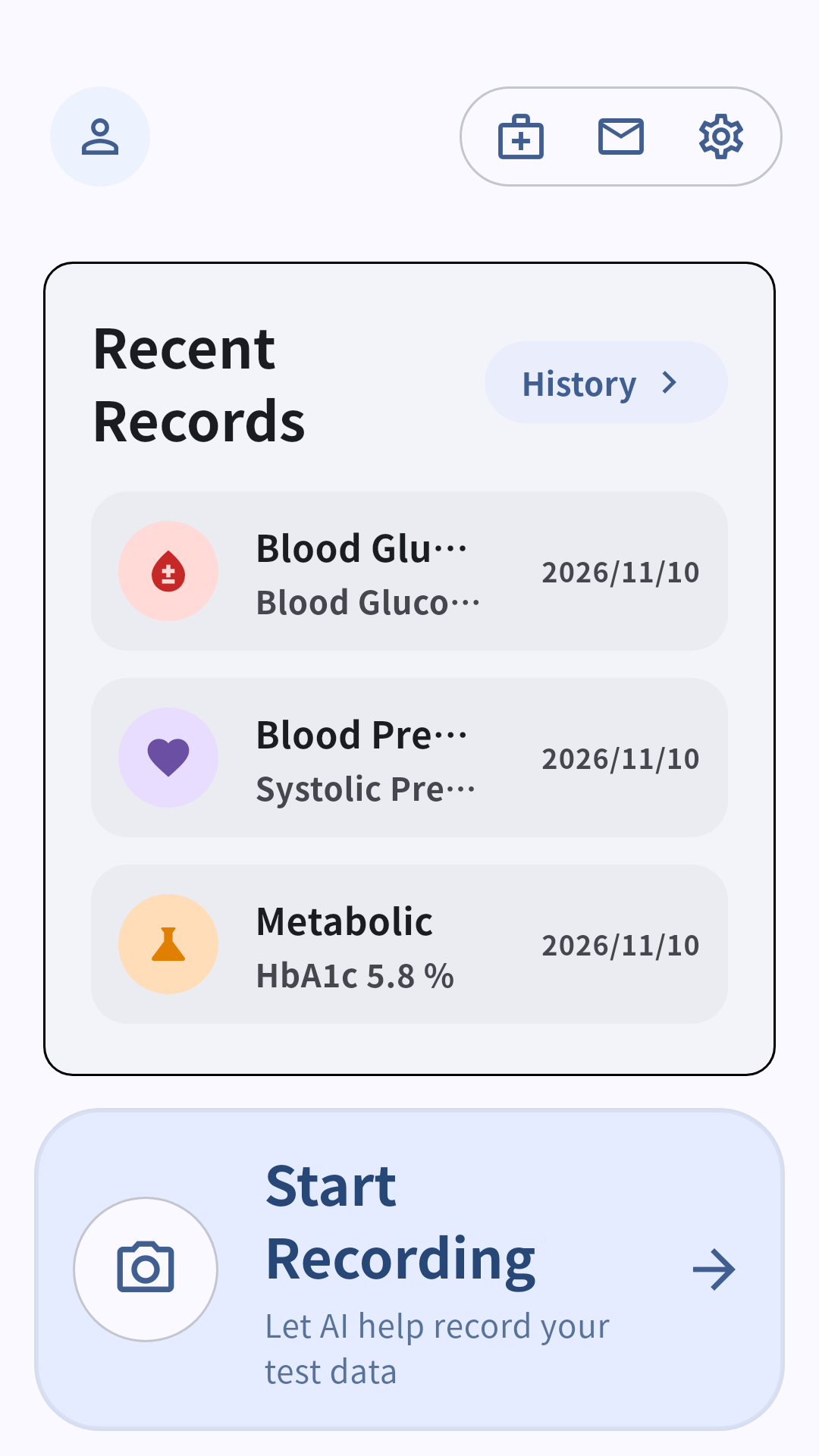
Sign in with Google and organize results from different devices. Records are saved on your phone first and synced to the cloud when you are online.

AI HEALTH LINK · POCT DATA MANAGEMENT
From your phone
to your care team.
Capture device readings with the mobile app. Review results and track trends in the web dashboard, then send approved records through a configured HIS connection.
FOR INDIVIDUALS AND TESTING STAFF
Turn photos of your test results into health records you can follow over time.
EVERYDAY RECORDS
Sign in with Google and organize results from different devices. Records are saved on your phone first and synced to the cloud when you are online.
AI CAPTURE
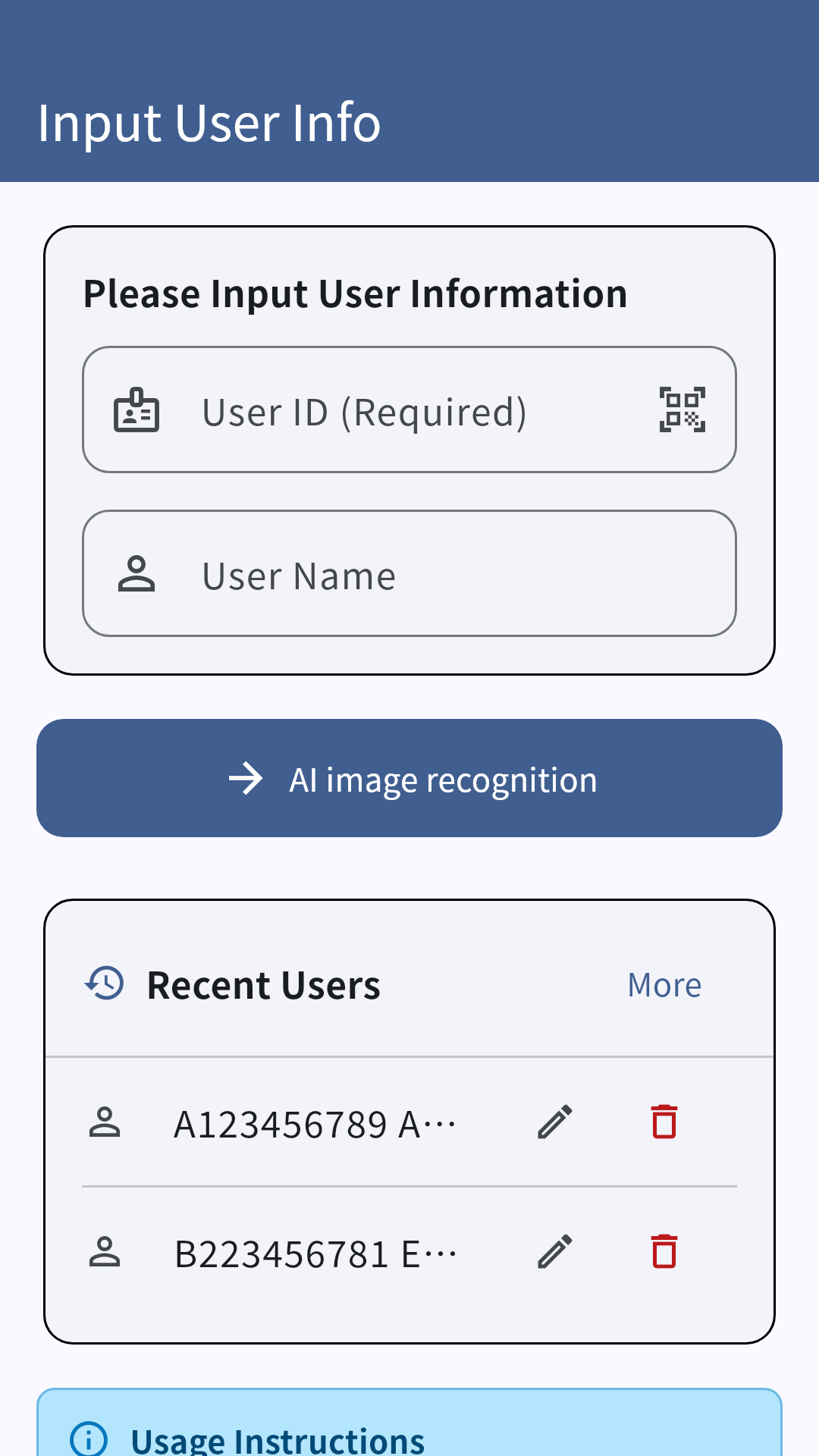
Photograph a device screen or lab report and let AI help read the values. Check and correct each result before saving; the original photo stays with the record.
HISTORY & TRENDS
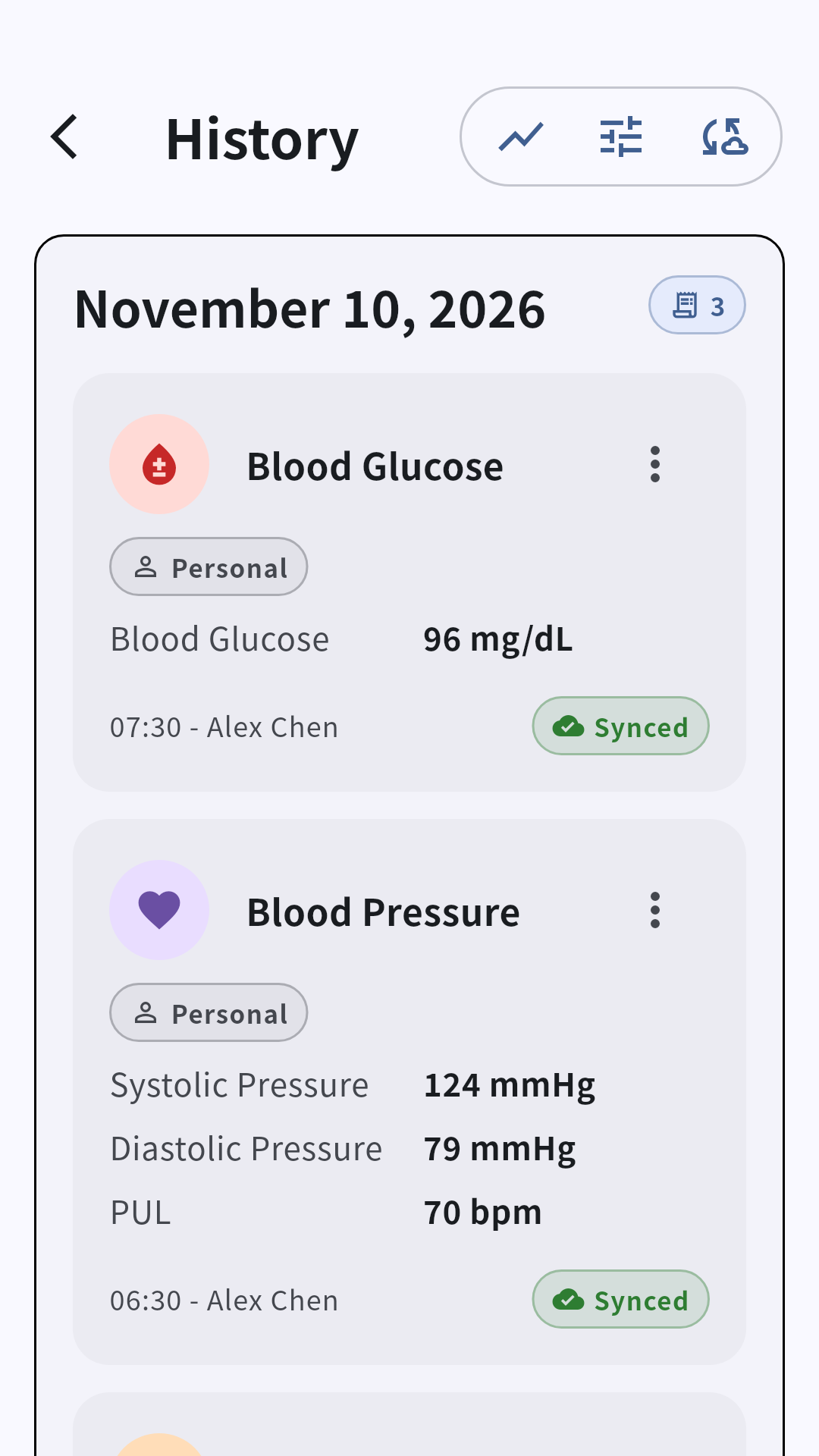
Browse records by date or device and follow long-term trends. Export an A5 PDF report whenever you need a copy to print or share.
SHARING CONTROL
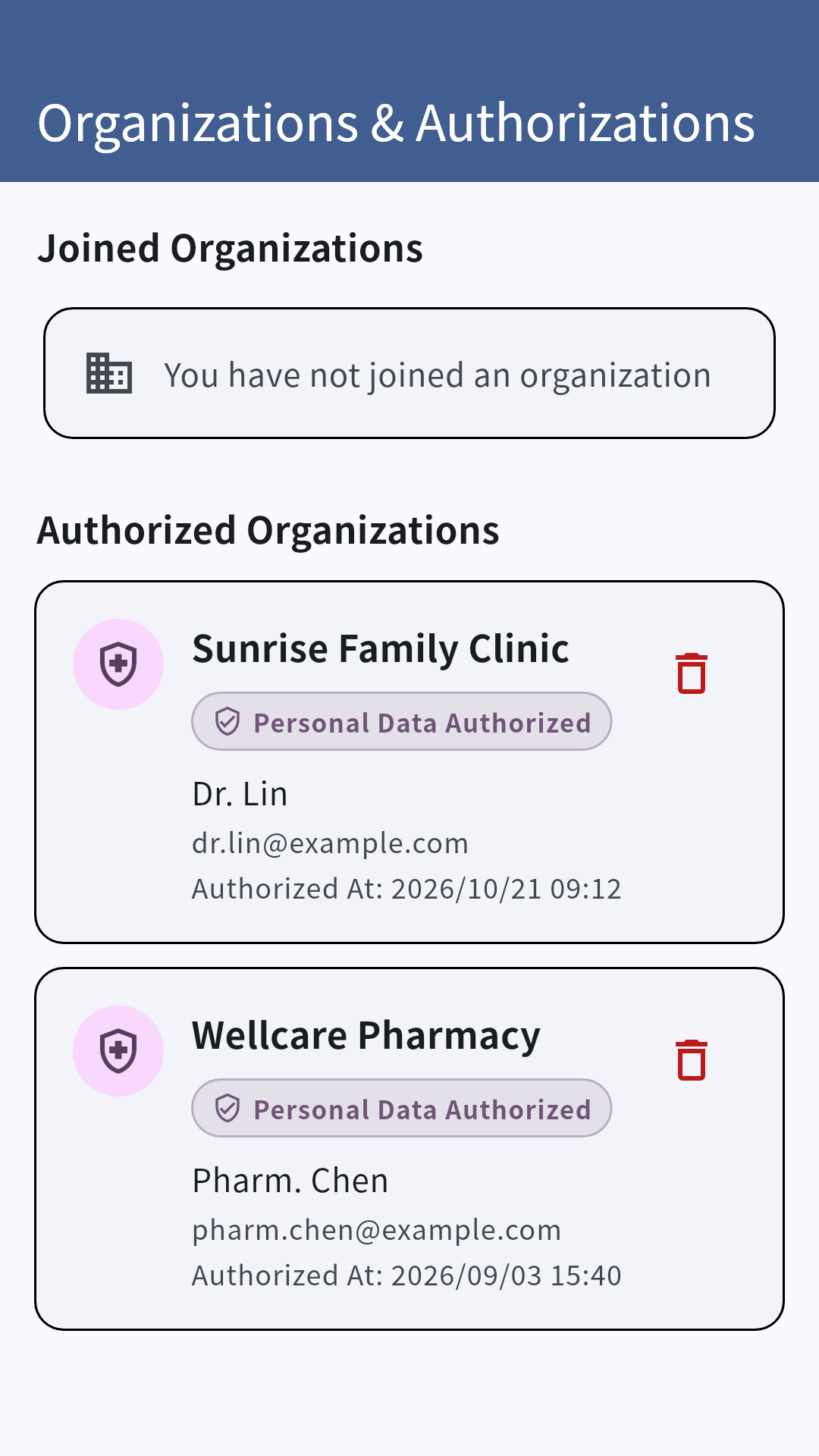
Scan your provider’s QR code, choose the records to share and set an access period. Revoke access at any time and exchange messages in the app.
Use it on phones and tablets, with two-pane layouts for tablets and foldable devices.
FOR CARE TEAMS, TESTING STATIONS AND CLINICS
Bring results from the app into one place for review, follow-up and teamwork.
Capture and upload photos with the phone or tablet app. Your care team uses the web dashboard to check the original images and data, approve results and then send them.
The dashboard images below use English feature captions with a Traditional Chinese demo workspace.
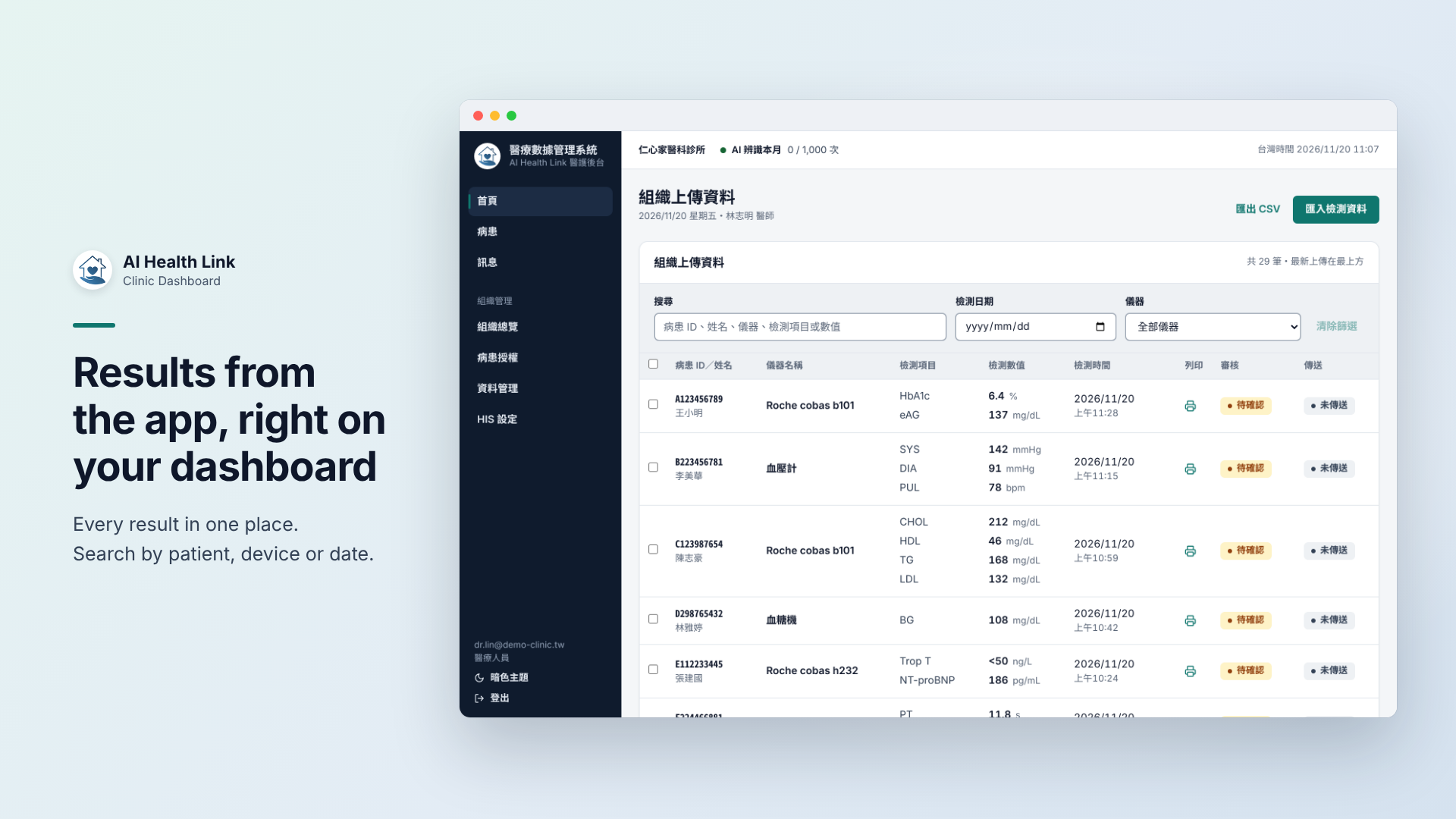
01 · ORGANIZATION RESULTS
See results from your testing stations in date order, with review and sending status at a glance.
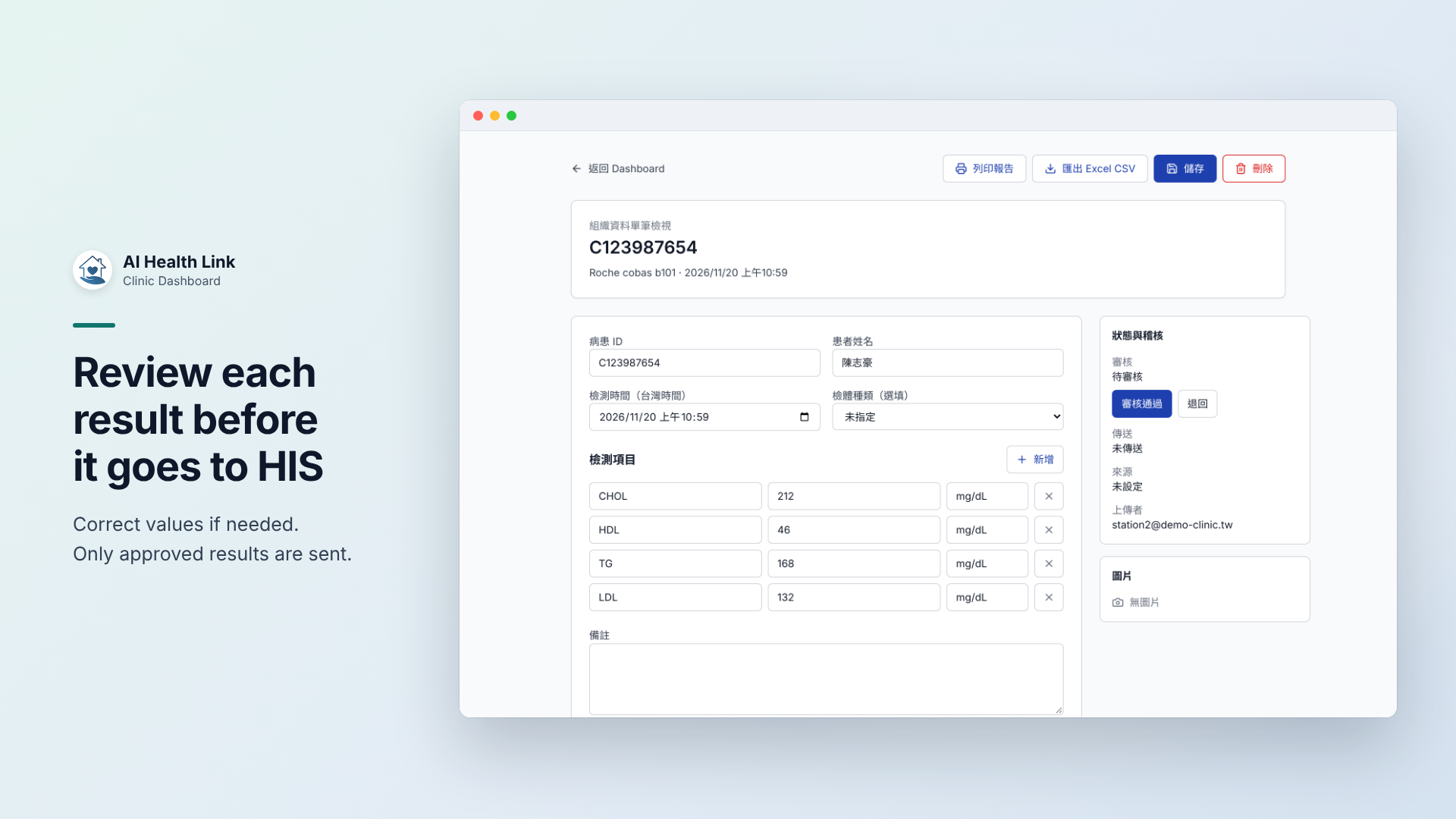
02 · RESULT REVIEW
Verify patient details, test times and values. Correct any errors before approving a result.
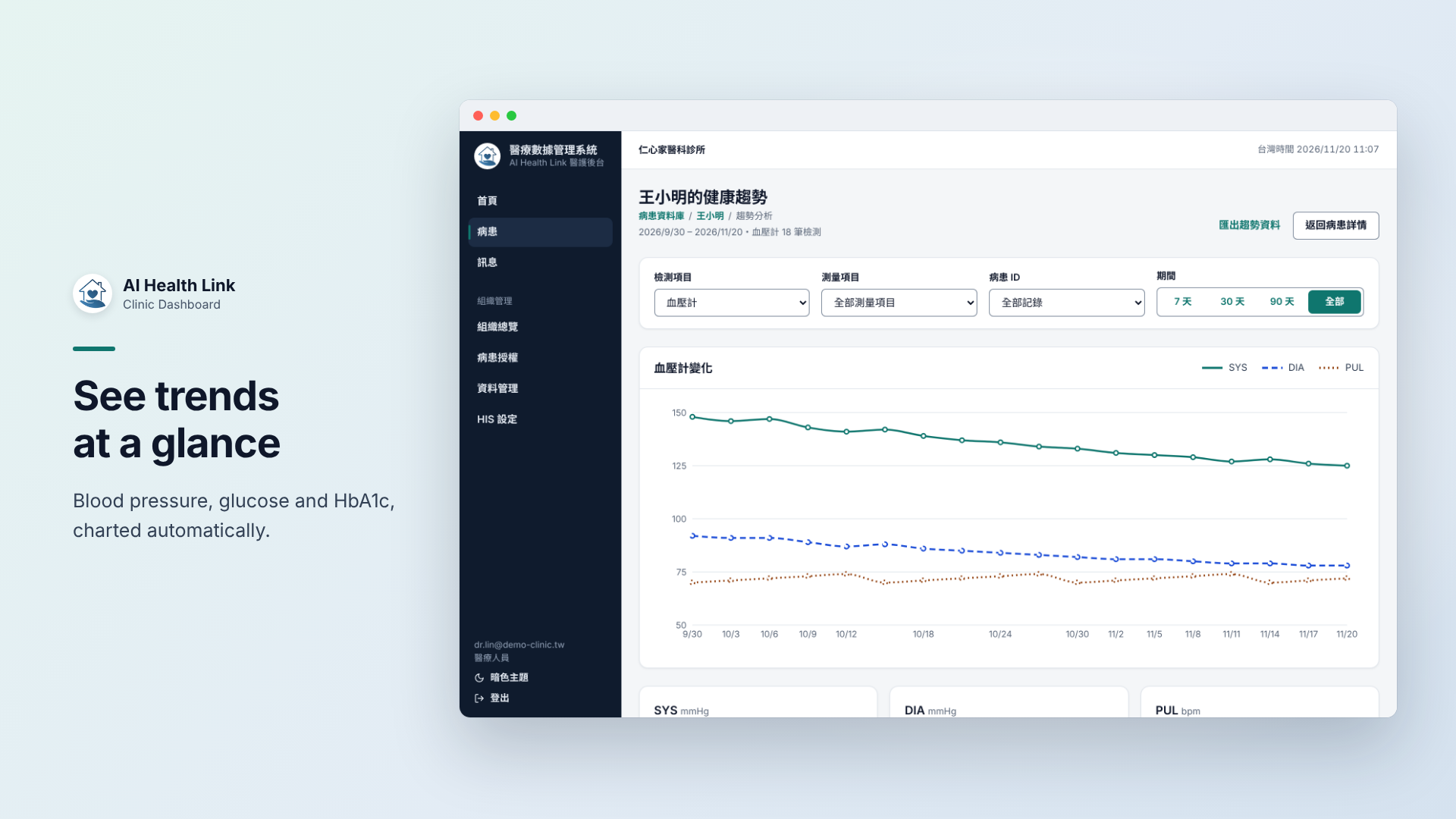
03 · TREND ANALYSIS
See blood pressure, glucose, HbA1c and other measurements charted over time.
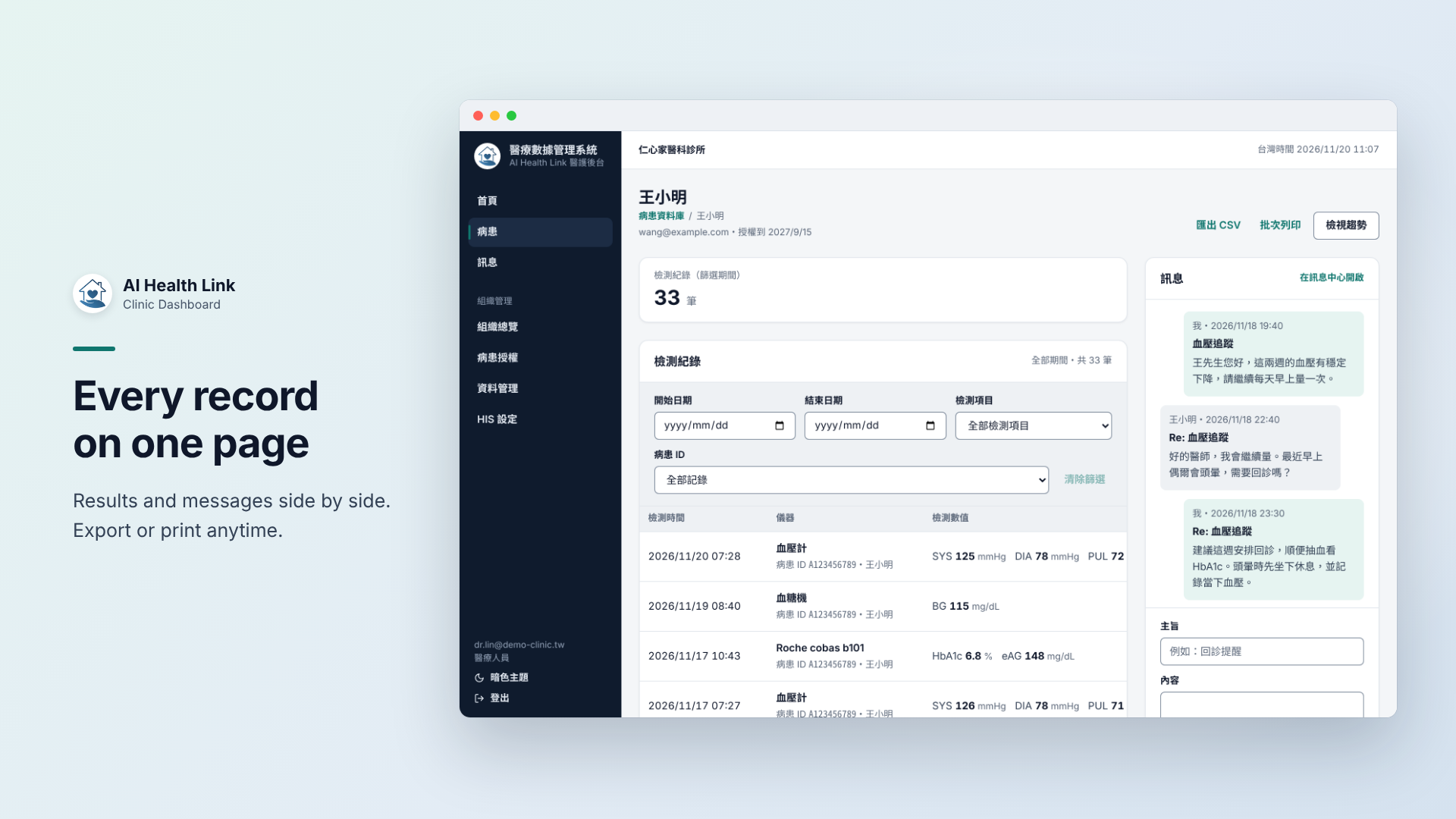
04 · PATIENT RECORDS
Once a patient grants access, browse their personal records by date and test.
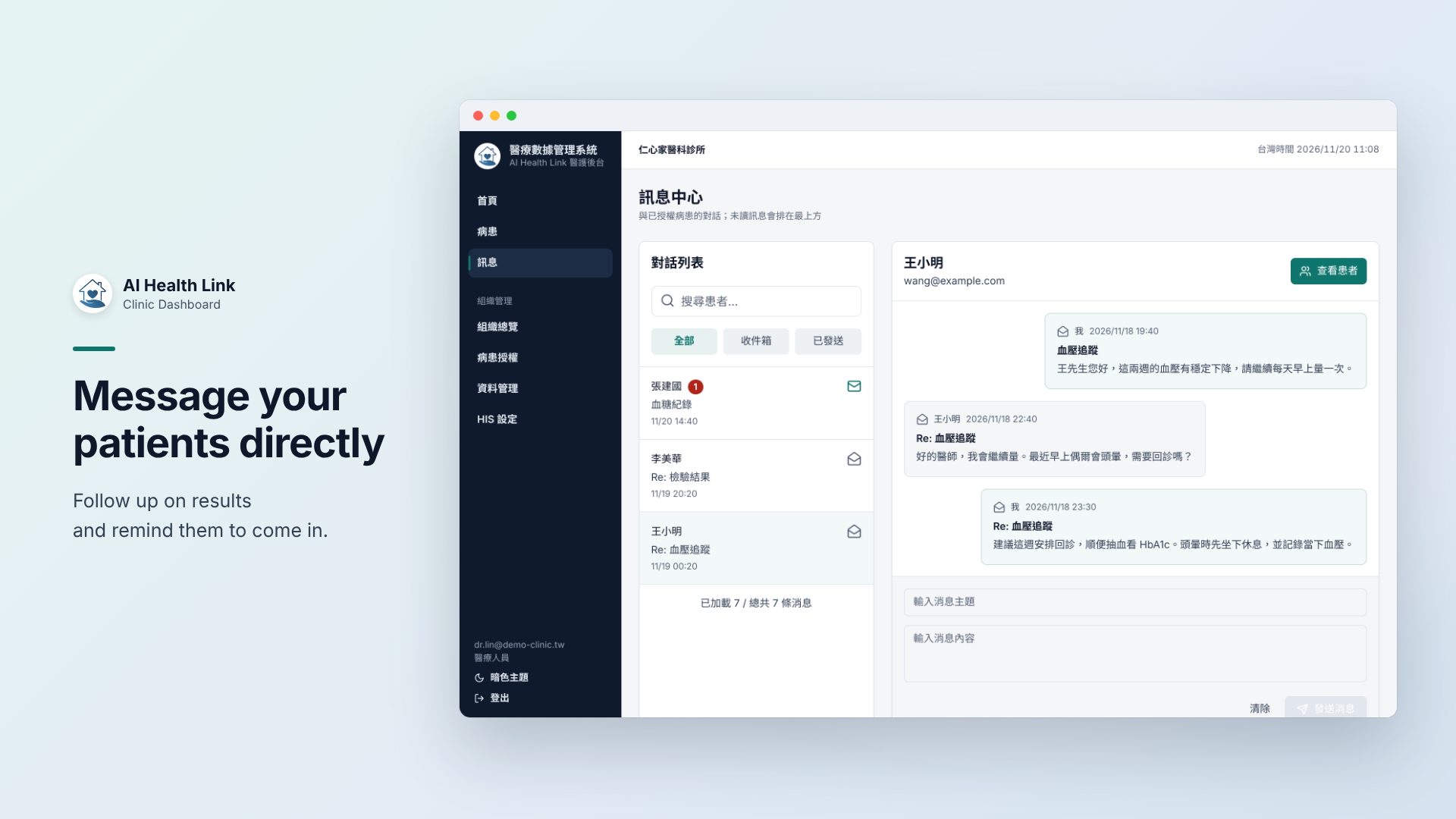
05 · MESSAGES
Follow up on results or remind patients about appointments. They receive and reply to messages in the app.
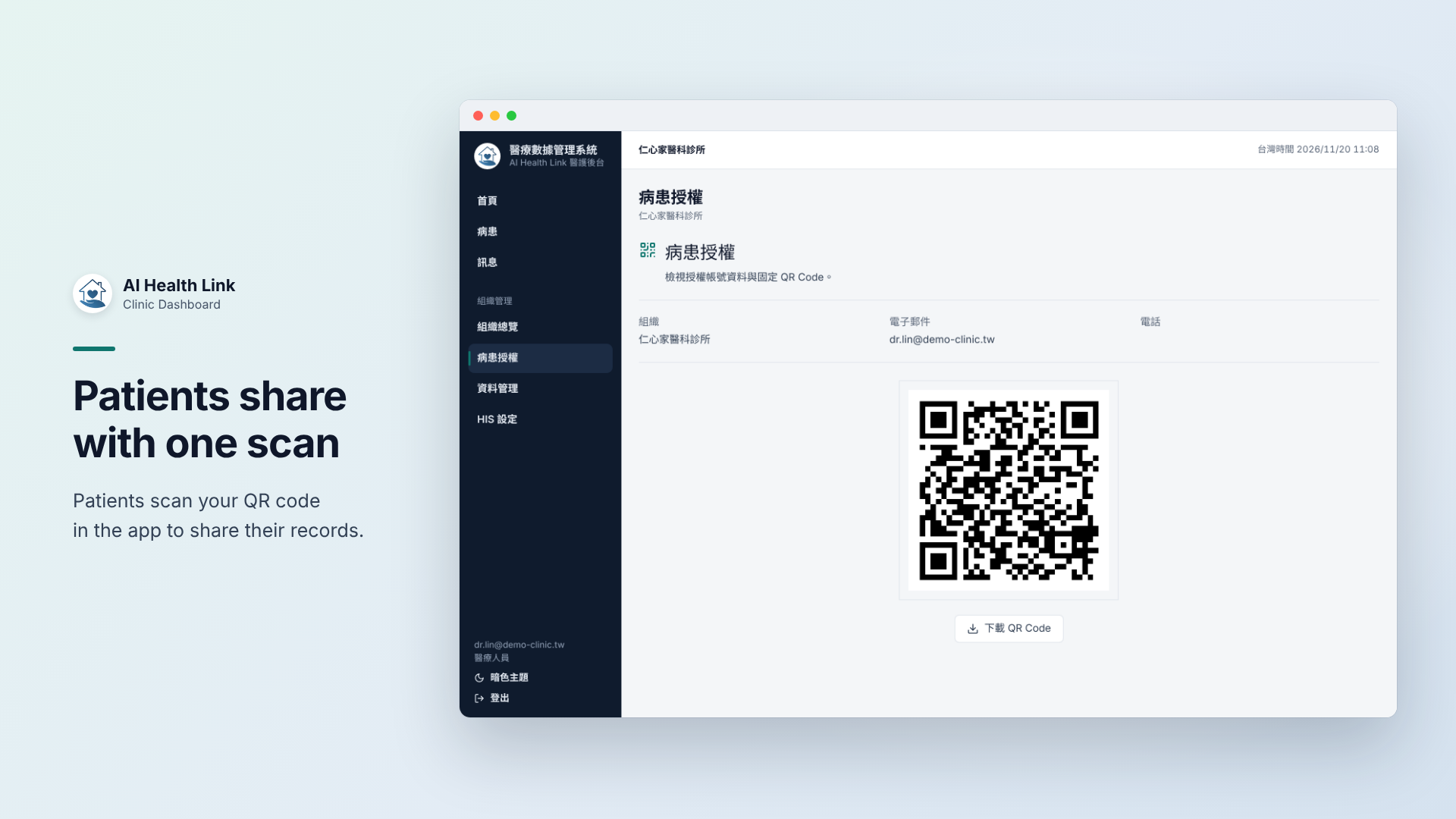
06 · PATIENT CONSENT
Patients scan a provider’s QR code in the app to grant access to their records.
HIS integration | Send from the dashboard
Configure and validate the connection for your hospital information system, then send approved results. Check delivery status and activity logs in the dashboard.
Clinic API | Retrieve from your record system
An authorized medical record system can retrieve test results through an API as part of your existing workflow.
Integration methods and available features depend on your system specifications, permissions and configuration. We confirm requirements and test the connection before deployment.
SUPPORTED TEST SOURCES
Blood glucose meters, blood pressure monitors, Roche cobas b101, Roche cobas h232, Roche CoaguChek, Roche Urisys 1100, HemoCue Hb201, Radiometer ABL9 and printed lab reports.
All AI-read results require human verification. Device names and trademarks belong to their respective owners.
Administrative functions and HIS sending permissions are assigned by role so staff work within their authorized access.
Access to personal records is time-limited and can be revoked. Access ends when authorization expires or is withdrawn.
Data is encrypted in transit. Access to organization records and HIS sending activity are logged for review.
The app captures readings, organizes personal health records and manages sharing. The web dashboard lets care teams review records, track trends and connect systems. Photos are uploaded through the app; the dashboard runs in a browser.
Always check AI-read values against the device or original report. Correct values before saving in the app, or before approval in the dashboard. Only approved results can be sent to HIS.
Patients do not need the app for results captured and uploaded by a testing station. They need it to organize readings taken at home or to share their personal records with a care provider.
We first review your interface specifications, data fields and workflow, then plan configuration and testing. Please contact us with your requirements so we can assess the integration.
SEE IT IN ACTION
Explore app capture, dashboard review and data integration in a demonstration tailored to your testing environment and clinic.